Follow the motor output of another Talon while ignoring the leader's invert setting. More...
#include <ctre/phoenix6/controls/StrictFollower.hpp>
Public Member Functions | |
| constexpr | StrictFollower (int LeaderID) |
| Follow the motor output of another Talon while ignoring the leader's invert setting. | |
| constexpr | ~StrictFollower () override |
| constexpr std::string_view | GetName () const override |
| Gets the name of this control request. | |
| constexpr StrictFollower & | WithLeaderID (int newLeaderID) |
| Modifies this Control Request's LeaderID parameter and returns itself for method-chaining and easier to use request API. | |
| constexpr StrictFollower & | WithUpdateFreqHz (wpi::units::hertz_t newUpdateFreqHz) |
| Sets the frequency at which this control will update. | |
| std::string | ToString () const override |
| Returns a string representation of the object. | |
| std::map< std::string_view, std::string > | GetControlInfo () const override |
| Gets information about this control request. | |
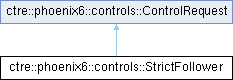
| Public Member Functions inherited from ctre::phoenix6::controls::ControlRequest | |
| constexpr | ControlRequest ()=default |
| Constructs a new Control Request. | |
| virtual constexpr | ~ControlRequest () |
Public Attributes | |
| int | LeaderID |
| Device ID of the leader to follow. | |
| wpi::units::hertz_t | UpdateFreqHz {20_Hz} |
| The frequency at which this control will update. | |
Additional Inherited Members | |
| Protected Member Functions inherited from ctre::phoenix6::controls::ControlRequest | |
| constexpr | ControlRequest (ControlRequest const &)=default |
| constexpr | ControlRequest (ControlRequest &&)=default |
| constexpr ControlRequest & | operator= (ControlRequest const &)=default |
| constexpr ControlRequest & | operator= (ControlRequest &&)=default |
Detailed Description
Follow the motor output of another Talon while ignoring the leader's invert setting.
The follower will atomically change its output type when it receives the leader's latest output status signal (DutyCycle, MotorVoltage, TorqueCurrent). If Talon is in torque control, the torque is copied - which will increase the total torque applied. If Talon is in duty cycle output control, the duty cycle is matched. If Talon is in voltage output control, the motor voltage is matched. Motor direction is strictly determined by the configured invert and not the leader. If you want motor direction to match or oppose the leader, use Follower instead.
The leader must ensure the status signal corresponding to its control output type (DutyCycle, MotorVoltage, TorqueCurrent) is enabled. The update rate of the status signal determines the update rate of the follower's output and should be no slower than 20 Hz.
Constructor & Destructor Documentation
◆ StrictFollower()
|
inlineconstexpr |
Follow the motor output of another Talon while ignoring the leader's invert setting.
The follower will atomically change its output type when it receives the leader's latest output status signal (DutyCycle, MotorVoltage, TorqueCurrent). If Talon is in torque control, the torque is copied
- which will increase the total torque applied. If Talon is in duty cycle output control, the duty cycle is matched. If Talon is in voltage output control, the motor voltage is matched. Motor direction is strictly determined by the configured invert and not the leader. If you want motor direction to match or oppose the leader, use Follower instead.
The leader must ensure the status signal corresponding to its control output type (DutyCycle, MotorVoltage, TorqueCurrent) is enabled. The update rate of the status signal determines the update rate of the follower's output and should be no slower than 20 Hz.
- Parameters
-
LeaderID Device ID of the leader to follow.
◆ ~StrictFollower()
|
inlineconstexproverride |
Member Function Documentation
◆ GetControlInfo()
|
overridevirtual |
Gets information about this control request.
- Returns
- Map of control parameter names and corresponding applied values
Implements ctre::phoenix6::controls::ControlRequest.
◆ GetName()
|
inlineconstexproverridevirtual |
Gets the name of this control request.
- Returns
- Name of the control request
Implements ctre::phoenix6::controls::ControlRequest.
◆ ToString()
|
overridevirtual |
Returns a string representation of the object.
- Returns
- a string representation of the object.
Implements ctre::phoenix6::controls::ControlRequest.
◆ WithLeaderID()
|
inlineconstexpr |
Modifies this Control Request's LeaderID parameter and returns itself for method-chaining and easier to use request API.
Device ID of the leader to follow.
- Parameters
-
newLeaderID Parameter to modify
- Returns
- Itself
◆ WithUpdateFreqHz()
|
inlineconstexpr |
Sets the frequency at which this control will update.
This is designated in Hertz, with a minimum of 20 Hz (every 50 ms) and a maximum of 1000 Hz (every 1 ms). Some update frequencies are not supported and will be promoted up to the next highest supported frequency.
If this field is set to 0 Hz, the control request will be sent immediately as a one-shot frame. This may be useful for advanced applications that require outputs to be synchronized with data acquisition. In this case, we recommend not exceeding 50 ms between control calls.
- Parameters
-
newUpdateFreqHz Parameter to modify
- Returns
- Itself
Member Data Documentation
◆ LeaderID
| int ctre::phoenix6::controls::StrictFollower::LeaderID |
Device ID of the leader to follow.
◆ UpdateFreqHz
| wpi::units::hertz_t ctre::phoenix6::controls::StrictFollower::UpdateFreqHz {20_Hz} |
The frequency at which this control will update.
This is designated in Hertz, with a minimum of 20 Hz (every 50 ms) and a maximum of 1000 Hz (every 1 ms). Some update frequencies are not supported and will be promoted up to the next highest supported frequency.
If this field is set to 0 Hz, the control request will be sent immediately as a one-shot frame. This may be useful for advanced applications that require outputs to be synchronized with data acquisition. In this case, we recommend not exceeding 50 ms between control calls.
The documentation for this class was generated from the following file:
- ctre/phoenix6/controls/StrictFollower.hpp